PIXATTO
A downloadable tool for Windows, macOS, and Linux
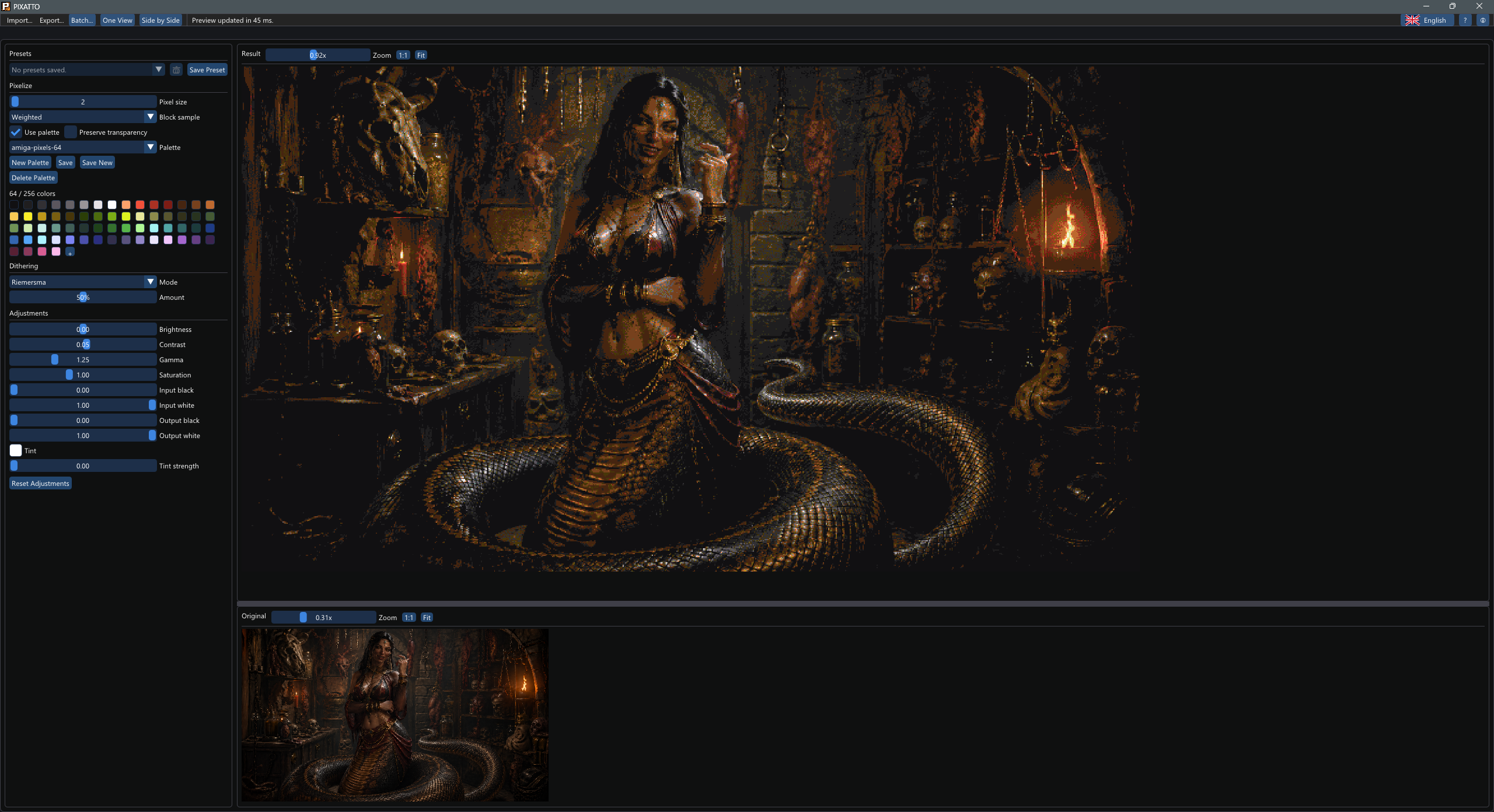
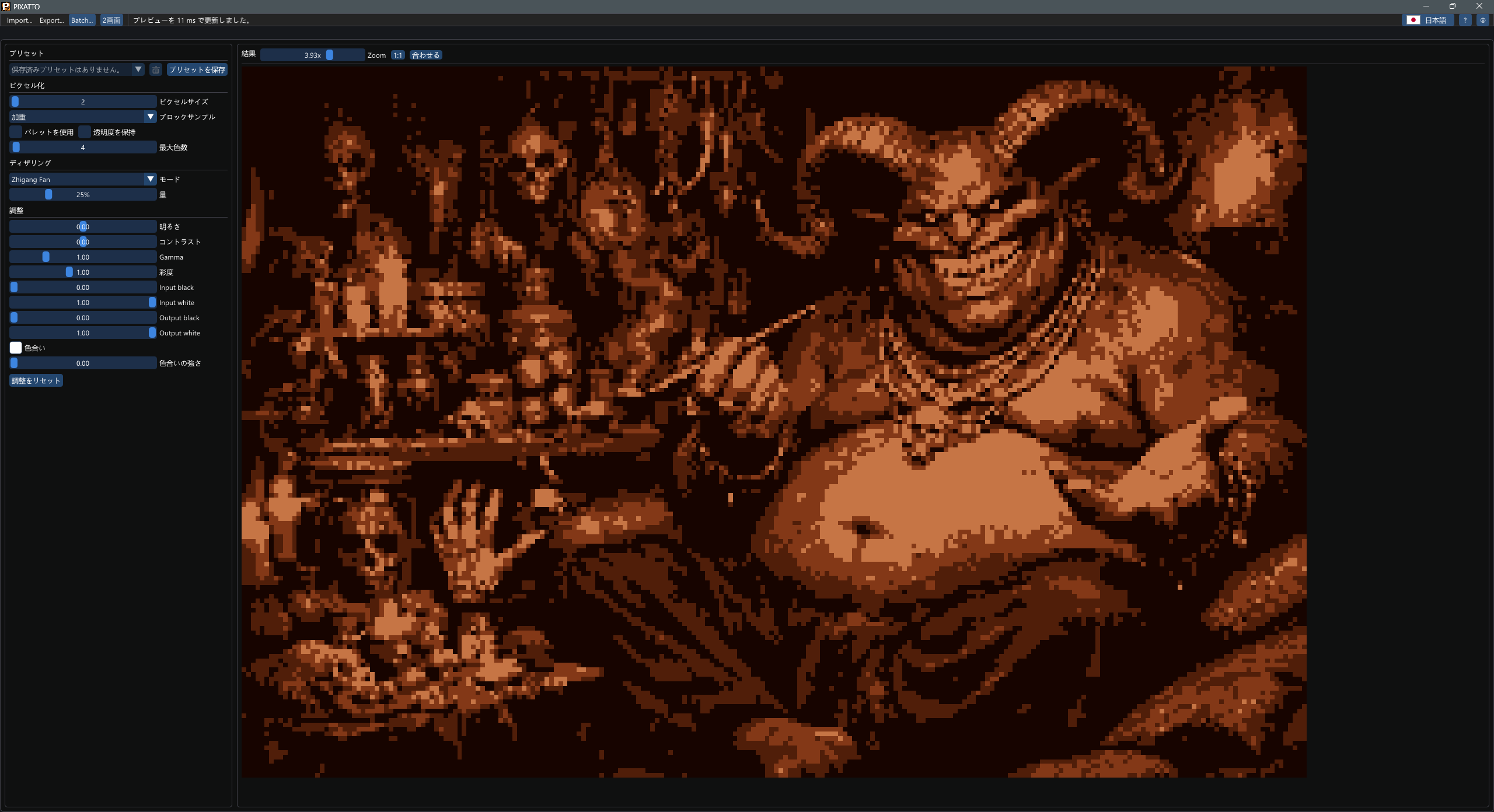
PIXATTO is a desktop texture tool for turning PNG, JPG/JPEG, BMP, TGA, GIF, WebP, JPEG XL, QOI, TIFF, and PNM/PPM/PGM/PBM images, plus GLB, glTF, OBJ, FBX, and DAE model textures, into pseudo-pixel art and palette-constrained assets.
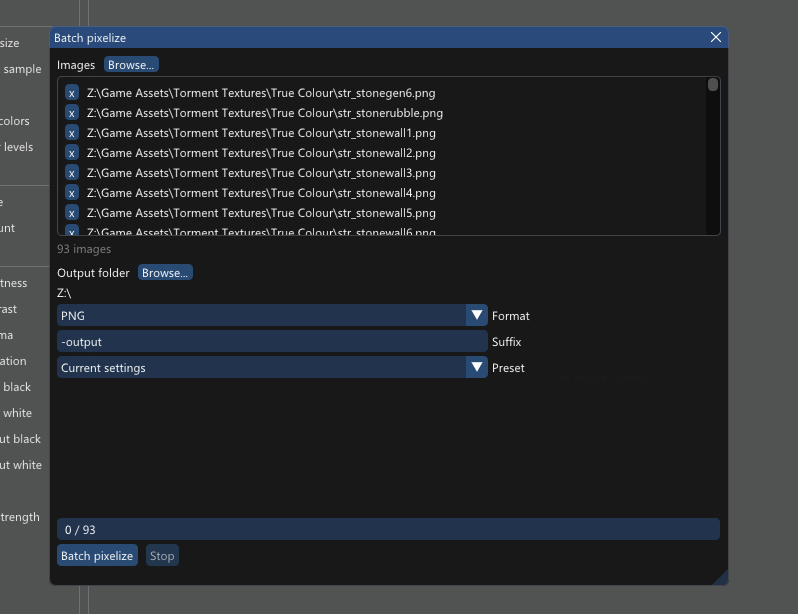
It is built for quick iteration: import an image or model, tune the pixel size and color treatment, save reusable presets, batch process image sets, preview the result live, then export compact PNG, raw indexed image data, or processed model textures when it looks right.
Features
- Block pixelization with linear-light averaging
- Palette mapping with bundled Lospec palettes and greyscale ramps
- Import custom Lospec
.hexpalettes - Create, edit, save, duplicate, and delete palettes inside the app
- Up to 256 palette colors, with optional single-bit transparency preservation
- Bayer, blue-noise, Floyd-Steinberg, Jarvis-Judice-Ninke, Atkinson, Stucki, Burkes, Sierra, Two Row Sierra, Riemersma, and additional pattern dithering modes
- Brightness, contrast, gamma, levels, saturation, and tint controls
- Save, apply, overwrite, and delete processing presets
- Batch pixelize multiple images to PNG or raw indexed output
- Video processing
- Single-result, side-by-side, and stacked preview layouts
- Undo and redo for processing edits
- Drag-and-drop image, palette, GLB/glTF, OBJ, FBX, and DAE imports
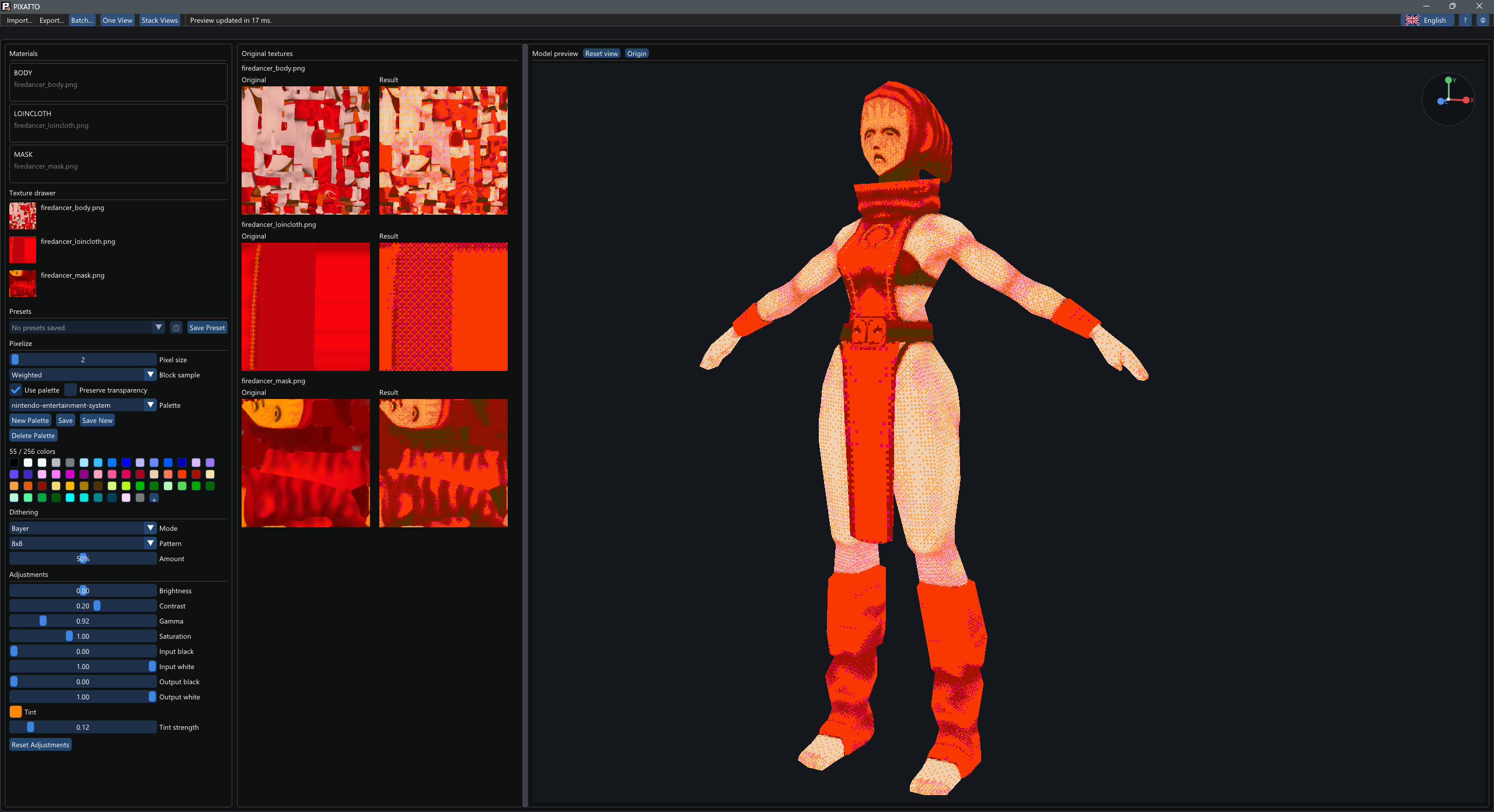
- Unshaded OpenGL model preview for checking processed textures directly on meshes
- Material list and texture drawer for assigning imported images to model materials
- Original/result model texture gallery previews for comparing source and processed textures
- Orbit, pan, zoom, reset, and origin controls for the model preview
- PNG export, including indexed 8-bit PNGs when possible
- Raw indexed export with shared
.palpalette sidecars and optional.msktransparency masks - Windows, Linux, and macOS builds
What's new in 1.8.0
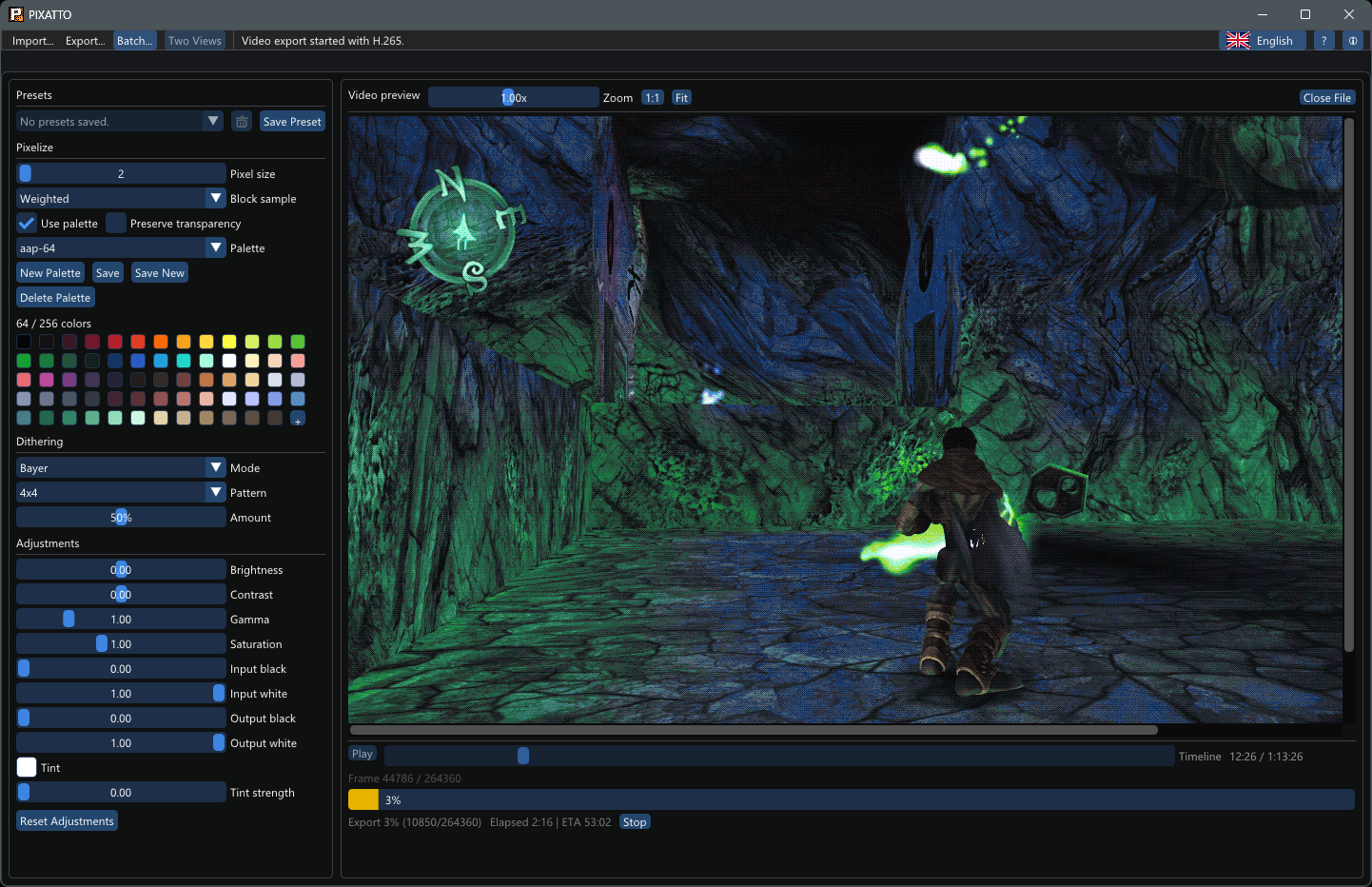
PIXATTO 1.8.0 adds a full video workflow. You can now import video files, preview them with your current pixelization settings, scrub through the timeline, and export the processed result.
- Video import and preview: open common video formats such as MP4, MOV, MKV, WebM, AVI, M4V, MPG, MPEG, and OGV.
- Timeline controls: scrub, play, pause, check the current frame, and follow export progress from inside PIXATTO.
- Video export: export processed videos through FFmpeg using H.264, H.265, AV1, or VP9 when supported by your FFmpeg installation.
- Hardware encoder support: use detected NVIDIA, AMD, or Intel hardware encoders, with QP quality controls for visually clean output.
- Separate format choices: choose video codec, audio handling, and container separately, with compatibility rules for MP4, MKV, and WebM.
- Audio options: copy compatible source audio, encode AAC, encode Vorbis, or export without audio.
Video support requires external ffmpeg and ffprobe
binaries. On Windows, PIXATTO checks next to pixatto.exe first,
then your PATH. On Linux and macOS, install FFmpeg normally and
make sure ffmpeg and ffprobe are available on
PATH.
Notes
PIXATTO is free and open source under the MIT License. Donations are optional and appreciated.
Source code and releases: github.com/vorvek/PIXATTO
Download
Click download now to get access to the following files:
Development log
Leave a comment
Log in with itch.io to leave a comment.